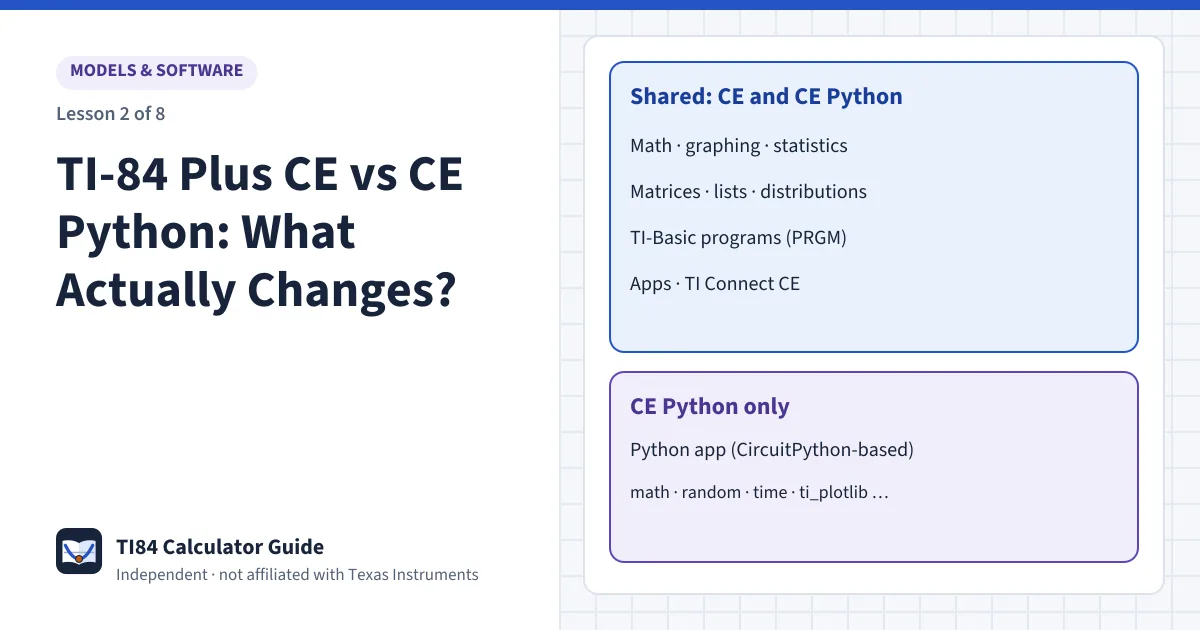
“CE” and “CE Python” look almost identical, and for most math classes they behave identically. The difference is one capability — Python programming — plus what comes with it.
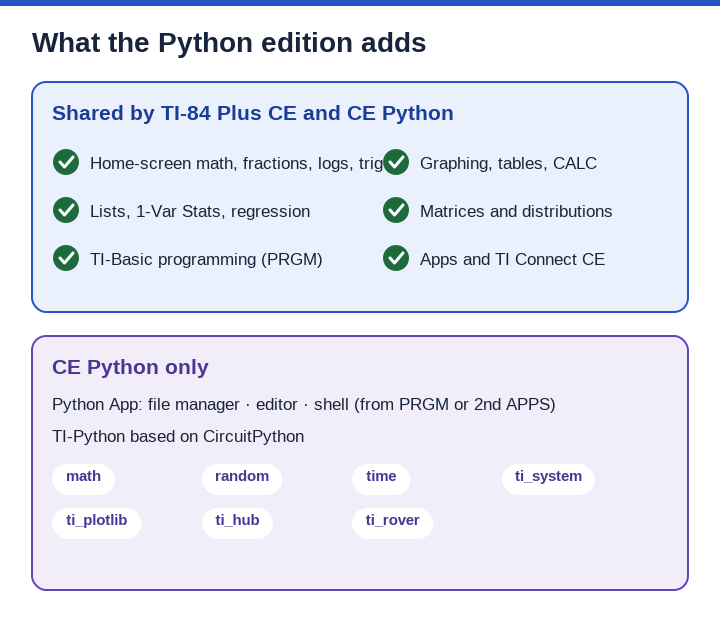
What is shared
- The keyboard, color screen, rechargeable battery and CE operating system family.
- All math, graphing, statistics and matrix features covered in these guides.
- TI-Basic programming through the PRGM key.
- Apps such as those in the CE app bundle, and TI Connect CE for transfers.
What the Python edition adds
Texas Instruments’ product comparison states that only the Python edition of the TI-84 Plus CE has Python programming capability. On that model:
- The Python App comes preinstalled. TI’s eGuide says it is opened from PRGM when the app is loaded, and is also listed under 2nd APPS.
- The app includes a file manager (Python programs stored as PY AppVars), an editor and a shell for running programs.
- TI-Python is based on CircuitPython, a Python 3 variant from Adafruit adapted by TI.
- Included modules listed in TI’s eGuide: built-ins, math, random, time, ti_system, ti_plotlib, ti_hub and ti_rover. Newer CE bundles add further modules such as ti_draw and ti_image.
Python is not desktop Python
TI’s eGuide notes that the Python interpreter runs in its own environment, separate from the calculator’s math, and that results can differ from other Python versions because of how numbers are stored. Programs using core language features and standard modules such as math and random usually move between platforms unchanged, but TI recommends testing any program written on a computer on the calculator itself. Desktop libraries such as NumPy are not available.
TI-Basic versus Python
| TI-Basic | TI-Python | |
|---|---|---|
| Available on | CE and CE Python (and TI-84 Plus) | CE Python only |
| Where | PRGM ▸ NEW | Python App |
| Strengths | Direct access to calculator variables, graph screen and menus | Standard programming language skills; functions, loops, lists, plotting module |
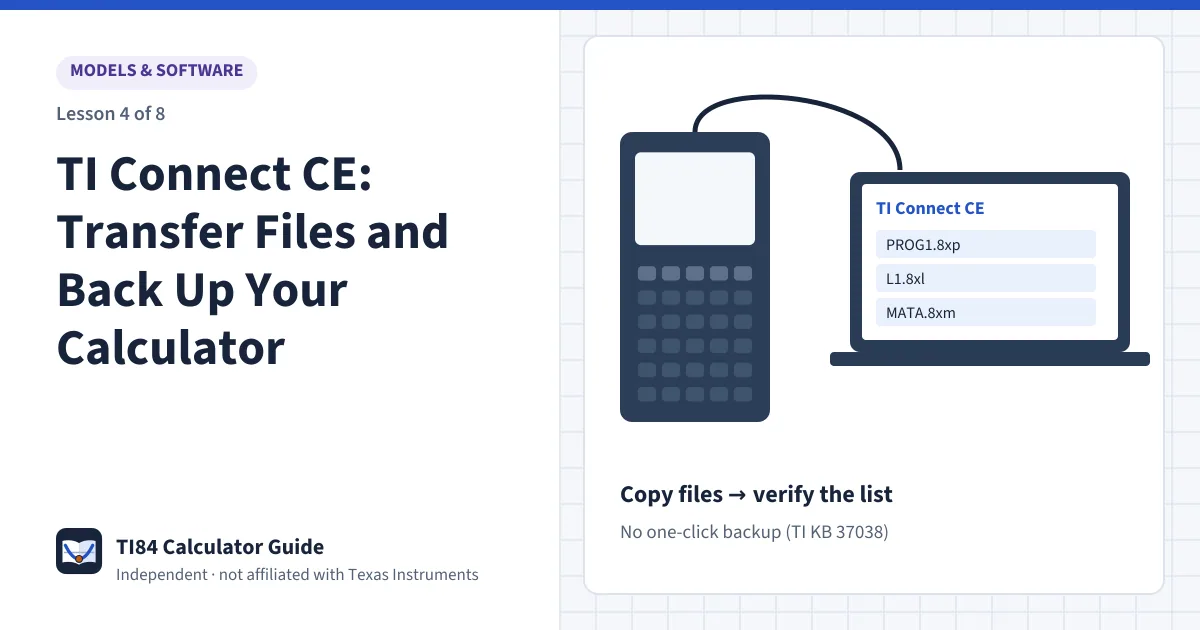
| Files | Programs (.8xp) | PY AppVars, convertible to .py with TI Connect CE |
Can a regular CE be “upgraded” to Python?
The Python app is listed by TI for the TI-84 Plus CE Python. Installing an OS update does not turn a regular CE into a Python edition. If you need Python, check the model name on the calculator (identification guide) before relying on it.
Updates
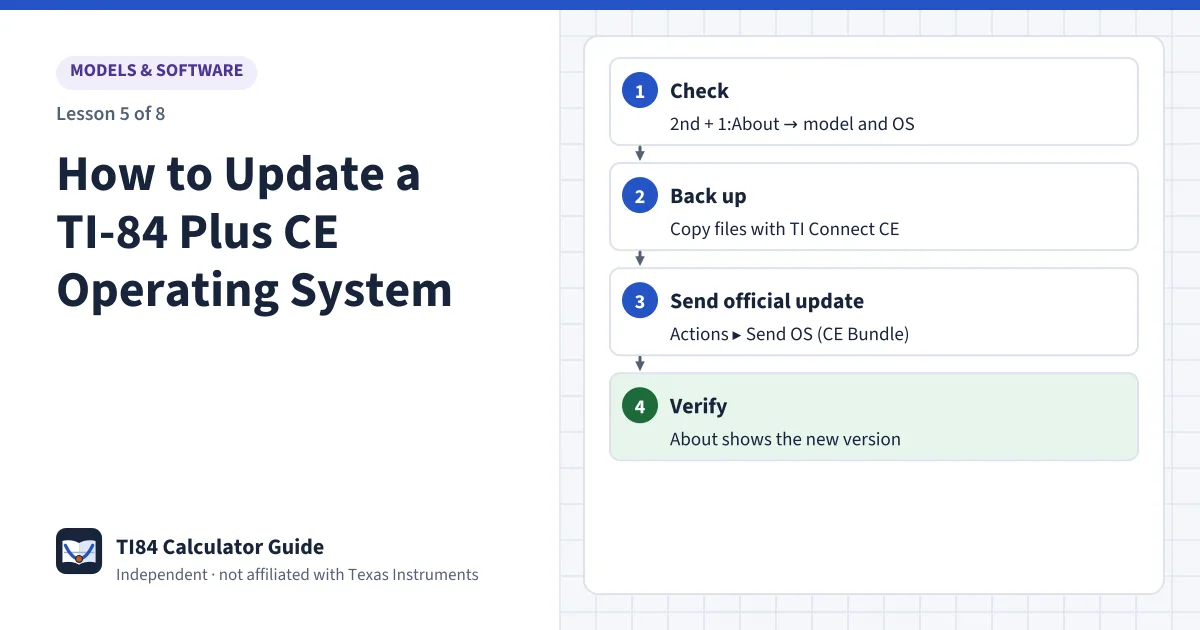
TI distributes the Python app with the CE bundle; updating with the latest bundle keeps the app and OS matched. See updating the CE operating system.
Exams
Programming capability does not by itself make a calculator acceptable or unacceptable on a test. Exam providers judge features (for example, computer algebra) and may require stored programs to be removed. Check the current SAT or ACT rules.
Sources
- TI-84 Plus CE Python: ecosystem and product comparison — Texas Instruments (checked November 23, 2026)
- Python App for the TI-84 Plus CE Python (eGuide) — Texas Instruments (checked November 23, 2026)
- What is the Python programming experience? (eGuide) — Texas Instruments (checked November 23, 2026)
- TI-84 Plus CE Python applications (Python App preinstalled) — Texas Instruments (checked November 23, 2026)
How this guide was made: written by Paul B. Spicer with AI drafting assistance, following our editorial policy. Key sequences and menu names were checked against the Texas Instruments documents listed above; numeric examples are recomputed by automated tests. Diagrams are original illustrations, not screenshots. TI84 Calculator Guide is independently operated and is not affiliated with, sponsored by or endorsed by Texas Instruments. TI-84 Plus, TI-84 Plus CE and related names are used only to describe the calculators our guides cover. Found a mistake? Send a correction.