
Algebra
Solve Quadratic Equations with a TI-84
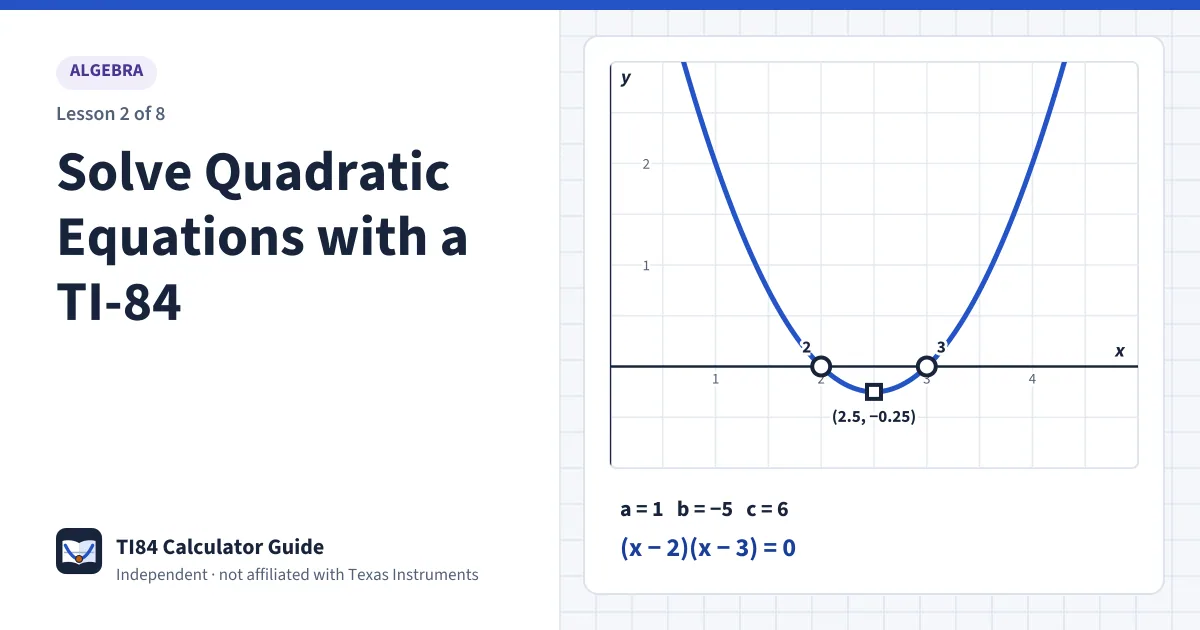
Solve x² − 5x + 6 = 0 by graphing, by the Solver and by the quadratic formula on the home screen, then check with the factorization (x − 2)(x − 3).
Type at least two letters.
Independent practice tool · free · runs in your browser
Enter the three coefficients of a·x² + b·x + c = 0. The solver reports the discriminant, every root (real or complex), the vertex, a factorization when the roots are integers and a substitution check for each real root. It also handles the special cases a textbook formula skips: a = 0 (a linear equation), 0 = 0 and equations with no solution.
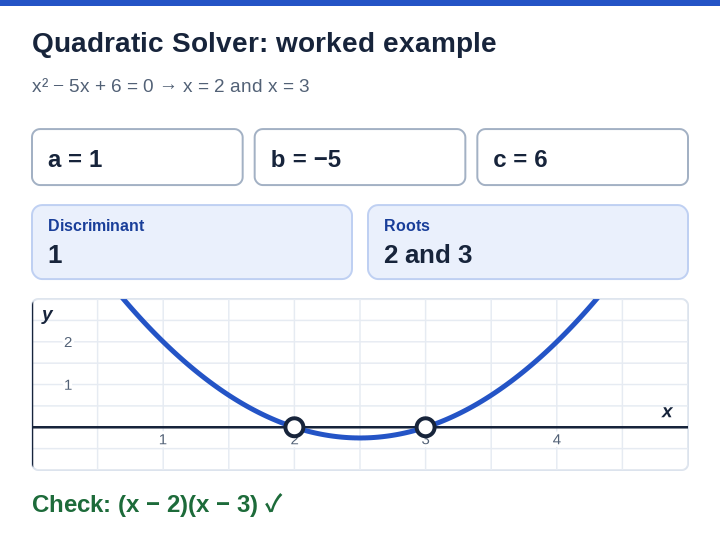
Real roots use the cancellation-safe form q = −½(b + sign(b)√D), x₁ = q/a, x₂ = c/q, which stays accurate when b² is much larger than 4ac. A discriminant within 10⁻¹² of zero (relative to b² and 4ac) is treated as a repeated root, and the result says so. Complex roots are reported as a conjugate pair. Each real root is substituted back and the residual a·x² + b·x + c is shown.
On a TI-84 you can graph and use CALC zero, run the numeric Solver, or use a polynomial app if it is installed. This page does not imitate those menus; the guides below give the verified key sequences.
There are no real roots: the parabola does not cross the x-axis. The two roots are complex conjugates, such as −1 ± 2i for x² + 2x + 5 = 0.
The equation is linear (b·x + c = 0) and the solver returns x = −c/b, or explains that there are no solutions or infinitely many.
Substituting a root back into the equation should give 0 (or a tiny rounding residual). It catches typing mistakes in the coefficients.
TI84 Calculator Guide is independently operated and is not affiliated with, sponsored by or endorsed by Texas Instruments. TI-84 Plus, TI-84 Plus CE and related names are used only to describe the calculators our guides cover.
Solve x² − 5x + 6 = 0 by graphing, by the Solver and by the quadratic formula on the home screen, then check with the factorization (x − 2)(x − 3).
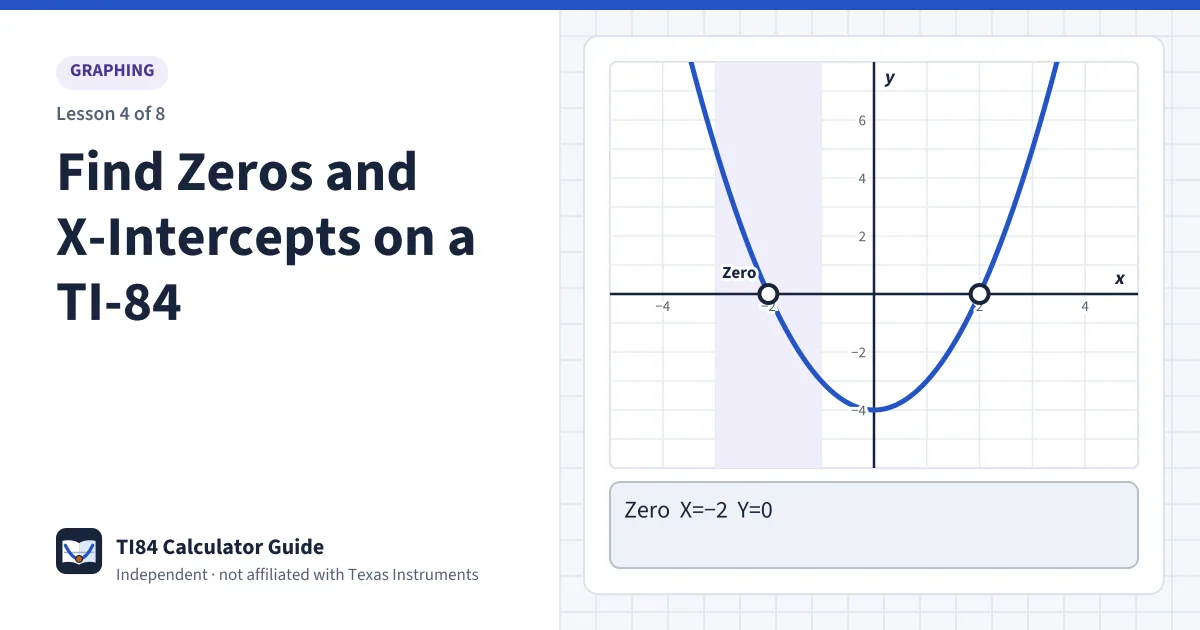
Bracket each root with Left Bound and Right Bound, then Guess. Find the zeros of x² − 4, and learn why a touching root like (x − 1)² needs a different method.
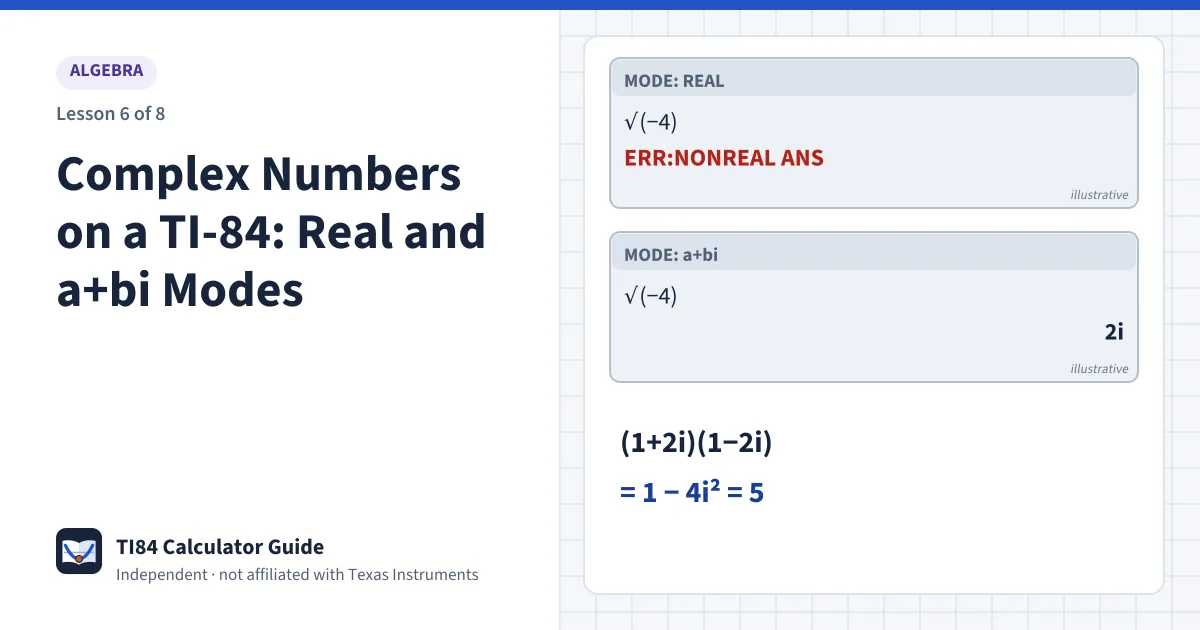
Why √(−4) gives ERR:NONREAL ANS in REAL mode but 2i in a+bi mode, how to type i, and how the CMPLX menu finds conjugates, real and imaginary parts and modulus.