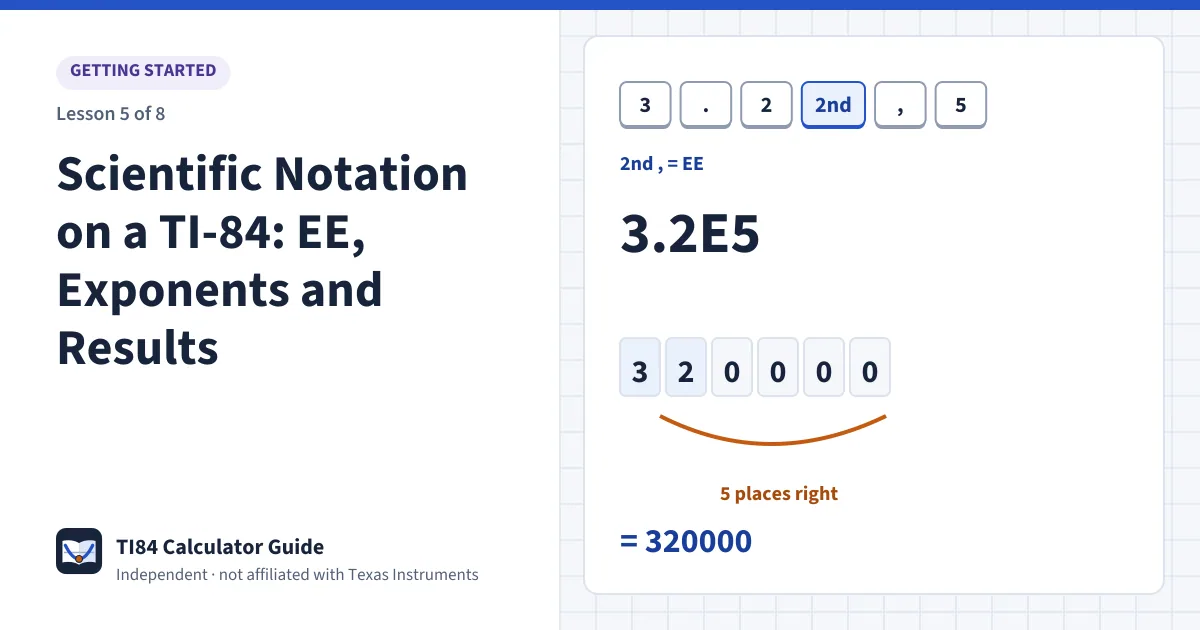
Scientific notation writes a number as a value between 1 and 10 times a power of ten, such as 3.2 × 10⁵. The TI-84 has a dedicated key for entering it and a display mode for showing results that way.
Enter scientific notation with EE
The EE function is printed above the comma key.
- Type 3 . 2.
- Press 2nd , (EE). The screen shows a small E.
- Type 5 and press ENTER. The result is 320000.
For a negative exponent, use the negative key, not subtraction: 4 . 5 2nd , (−) 3 ENTER gives .0045.
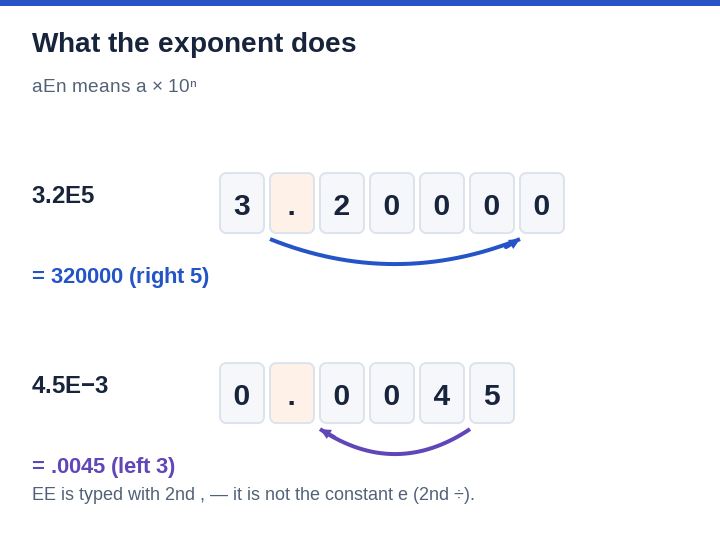
Reading an E in an answer
When a result is too large or too small for the screen in Normal mode, the TI-84 switches to E-notation automatically. For example, 2^50 displays as 1.125899907E15, which means 1.125899907 × 10¹⁵. The E is a display convention for “× 10^”; it is not the constant e ≈ 2.718.
EE versus the constant e versus 10^
These three look similar but do different things:
| Entry | Keys | Meaning | Example result |
|---|---|---|---|
3E4 |
3 2nd , 4 | 3 × 10⁴ | 30000 |
3e |
3 2nd ÷ | 3 × 2.718… | 8.154845485 |
3×10^(4) |
3 × 2nd LOG 4 | 3 × 10⁴ | 30000 |
The first and third agree, but EE is treated as part of the number. That matters in division: 6/2E3 is 6 ÷ 2000 = .003, while 6/2×10^(3) is (6 ÷ 2) × 1000 = 3000, because division and multiplication are done left to right.
Show every result in scientific notation
- Press MODE.
- On the
NORMAL SCI ENGline, choose Sci and press ENTER. - Quit with 2nd MODE.
Now 320000 displays as 3.2E5. Eng mode is similar but keeps exponents to multiples of three (320E3), which suits engineering units. Combine Sci with a fixed number of decimals (e.g. 2 on the Float line) to round results like a lab report: 0.0045 then shows as 4.50E−3.
Calculations in scientific notation
The calculator handles the powers of ten for you:
3E4×2E3= 60000000 (6 × 10⁷)8E6/4E2= 20000 (2 × 10⁴)(5.97E24)/(7.35E22)≈ 81.2244898
Common mistakes
- Using the minus key in the exponent.
4.5E−3needs (−); the subtraction key gives a syntax error. - Reading 1.2E−5 as negative. It is a small positive number, 0.000012.
- Rounding too early. Keep full values in the calculator and round only the final answer.
Practice
Our independent scientific calculator accepts E notation such as 3.2E5 and shows very large or small results in E form, matching the meanings on this page. It is not a TI-84 emulator, so there is no EE key — type the letter E instead.
Sources
- TI-84 Plus Graphing Calculator Guidebook (PDF) — Texas Instruments (checked November 23, 2026)
- Getting Started with the TI-84 Plus CE Graphing Calculator (PDF) — Texas Instruments (checked November 23, 2026)
How this guide was made: written by Paul B. Spicer with AI drafting assistance, following our editorial policy. Key sequences and menu names were checked against the Texas Instruments documents listed above; numeric examples are recomputed by automated tests. Diagrams are original illustrations, not screenshots. TI84 Calculator Guide is independently operated and is not affiliated with, sponsored by or endorsed by Texas Instruments. TI-84 Plus, TI-84 Plus CE and related names are used only to describe the calculators our guides cover. Found a mistake? Send a correction.